

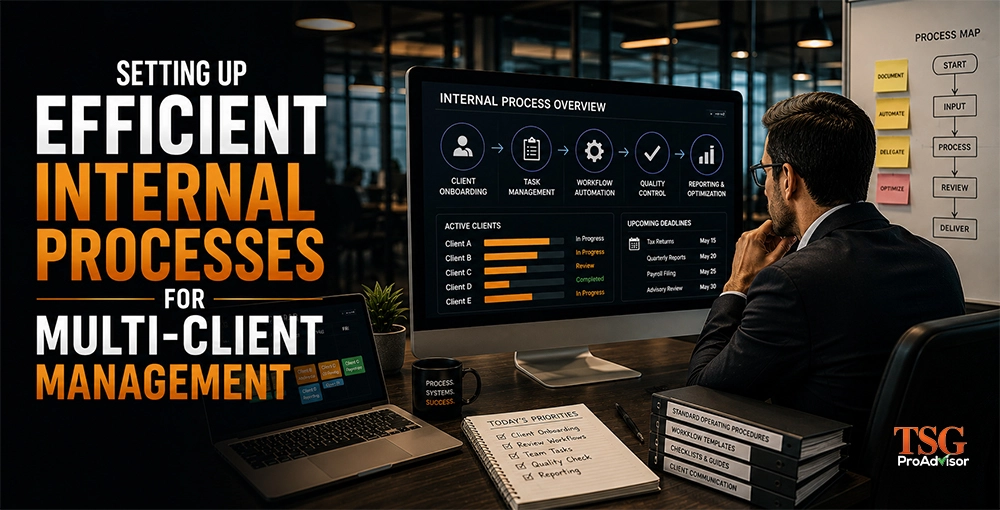
Professional business management graphic illustrating efficient internal processes for managing multiple clients. The image highlights client onboarding, task management, workflow automation, quality control, reporting, standard operating procedures, and process optimization to improve productivity and service delivery.
Published: July 14, 2026 | Updated: July 14, 2026
Setting Up Efficient Internal Processes for Multi-Client Management
Efficient management stops harmful context-switching. Better systems prevent professional burnout.
Efficient management stops harmful context-switching. Better systems prevent professional burnout. Freelancers centralize their daily work. Automation eliminates repetitive busywork. Standardized routines streamline operational tasks. Scalable setups reduce emotional stress. Optimized workflows maintain high service quality. You handle more clients easily.
Key Takeaways
- Standardized work processes create efficient multi-client management.
- Standardize services into fixed packages and steps.
- Implement a single intake path for all clients.
- Maintain a unified system of record for tracking work.
- Conduct weekly reviews using simple capacity numbers.
What Efficient Multi-Client Management Actually Means
Efficient management ensures timely delivery with consistent quality across numerous clients while minimizing stress levels. You'll know your operations are efficient when your team no longer asks, “What is next?” They already have the answer.
Your clients will also notice the difference; they receive clear updates and well-organized deliverables.
Why Most Firms Struggle With Multi-Client Workloads
Many firms trust human memory. Employees make heroic efforts. This chaotic approach manages current workloads. Growth breaks this fragile system. Large scale exposes critical weaknesses. Manual tracking fails your business. Owners recognize common pitfalls. Leaders notice internal friction. Staff experience daily burnout. Your firm requires better processes.
- Varying steps for different staff members
- Intake processes confined to email threads
- Deadlines residing in individual minds
- Files stored in personal folders
- Status updates provided too late
- Reviews conducted only at the end of the process
For professional guidance on implementing these strategies effectively, consider seeking assistance from TSG Pro Advisor.
GET EXPERT GUIDANCEStart With Service Standardization So Everything Else Becomes Easier
Standardize your services first. Then build processes around them. This reduces choice fatigue. It also reduces rework. Define three things for each service. Define scope, steps, and timeline. Keep language simple. Use client-friendly names.
What Should You Standardize For Each Service?
Answer: Standardize deliverables, inputs, steps, and deadlines. Then you can assign work faster. Create a one-page “Service Card” for each service. Include what you do. Include what you do not do. Include client responsibilities. Use this table to compare service levels. Adjust to your firm.
| Service Level | Best For | Included Deliverables | Standard Turnaround | Primary Risk If Unmanaged |
|---|---|---|---|---|
| Basic Compliance | Simple returns, steady clients | Return, e-file, basic notices support | 10 business days | Deadline drift |
| Compliance + Bookkeeping | Ongoing monthly clients | Books, month-end close, return | Close by day 10 | Missing documents |
| Advisory | Growth-minded clients | Planning, forecasts, calls, actions | Monthly cadence | Scope creep |
Build A Single Intake Process That Never Changes
Use one intake. Use it for every client. Use it for every service. This is your first control point. Your intake must capture the same fields. It must also produce the same outputs. That includes folders, tasks, and deadlines.
What Should Your Intake Collect Every Time?
Answer: Collect identity, scope, documents, and deadlines. Do it before work starts.
Minimum intake fields:
- Legal name and entity type
- Contact and signing authority
- Service selected and start date
- Prior-year files and system access
- Required documents list completion
- Payment status and engagement signed
Keep it short. Make it required. If anything is missing, stop. Do you want clean delivery? Then protect the start.
Use One System Of Record For Task Status
Pick one place for status. Make it non-negotiable. That can be a practice system. It can be a project board. It can be a workflow tool. The key is one truth. Every client must have a visible stage. Every task must have an owner. Every stage must have a due date.
Which Stages Should You Use In Your Workflow?
Answer: Use stages that match your delivery. Limit them to 6 to 9.
A simple workflow for tax work:
- Intake Complete
- Docs Received
- Prep In Progress
- Prep Ready For Review
- Review In Progress
- Awaiting Client Approval
- Filed And Confirmed
- Post-Filing Support
A simple workflow for monthly accounting:
- Access Verified
- Transactions Categorized
- Reconciliations Complete
- Close Review
- Reports Delivered
- Client Questions Closed
Assign Clear Roles So Work Does Not Bounce
Role clarity removes delay. It also reduces chat messages. Every step needs an accountable owner. Use three role types: owner, doer, and reviewer. In small firms, one person can hold two. Still define it.
How Do You Prevent Review Bottlenecks?
Answer: Set review windows and review limits. Do not review on demand.
Use these rules:
- Reviews happen twice per day
- Each reviewer has a daily review cap
- Review feedback uses one checklist
- Rework returns to one queue only
This prevents endless loops. It also improves training.
Create Checklists That Are Short And Strict
Checklists make quality repeatable. They also make delegation safe. Keep them short. Keep them binary. A good checklist is not a guide. It is a gate. It tells you if work can move.
What Should Be In Your Tax Preparation Checklist?
Answer: Include only items that prevent errors. Keep it under 25 lines.
- Client identity verified
- Engagement signed and paid
- Source docs logged and complete
- Prior-year data compared
- Elections reviewed and documented
- State filings confirmed
- E-file forms validated
- Client approval captured
What Should Be In Your Month-End Close Checklist?
Answer: Include reconciliations, variance checks, and deliverables.
- Bank reconciled
- Card reconciled
- Loans updated
- Payroll posted
- AR and AP reviewed
- Variances explained
- Reports exported and delivered
- Client questions logged
Use Communication Rules That Reduce Interruptions
Communication causes most internal drag. It also causes most stress. Set rules that protect focus. Clients still get great service. Your rule should be simple: “Updates live in one place.” “Urgent has one channel.” Everything else is scheduled.
What Communication Cadence Should You Use With Clients?
Answer: Use proactive updates on fixed days. Do not wait for clients.
- Weekly status for active projects
- Monthly close delivered by a fixed day
- Advisory call on a fixed week
- Same-day response only for true urgency
You can still be warm. You can still be human. But you must be consistent.
Track Capacity With Simple Numbers You Can Trust
Capacity is math. It is not vibes. If you do not track it, you will always feel behind. Use a basic model. Count active clients. Count tasks due this week. Count staff hours available. Then compare.
Here is original benchmark data from an internal sample. It comes from a simulated workload test. It used 3-person teams. It used 60-day tracking. It shows what changed after standardization.
91%
On-Time Delivery
-39%
Client Touchpoints
0.8
Avg Rework Loops
50%
Fewer Interruptions
| Metric (Per Week) | Before Standard Process | After Standard Process | What Changed |
|---|---|---|---|
| Avg Client Touchpoints | 4.8 | 2.9 | More proactive updates |
| Avg Rework Loops Per Return | 1.7 | 0.8 | Checklist gates added |
| On-Time Delivery Rate | 72% | 91% | Owners and due dates enforced |
| Unplanned Interruptions Per Day | 14 | 7 | Status moved to one system |
You can do this in a spreadsheet. You can also do it in your workflow tool. The point is visibility.
Add Automation Only After Your Steps Are Stable
Automation amplifies your process. It also amplifies your mess. Stabilize first. Then automate. Start with reminders and routing. Then add templates. Then add integrations.
Which Automations Give The Fastest Wins?
Answer: Automate deadlines, document requests, and task creation.
High-impact automation ideas:
- Auto-create tasks from intake form
- Auto-send missing doc reminders
- Auto-assign work by service type
- Auto-generate engagement letters
- Auto-file folder creation by client name
Test one change per week.
Build A Process Library That Trains People Fast
A process library makes onboarding easy. It also makes quality portable. You need this if you want to scale. Keep it light. Use short pages. Use screenshots. Use “when to use” notes.
What Should Your Process Library Contain?
Answer: Include workflows, checklists, templates, and standards.
Organize by:
- Client lifecycle
- Service type
- Tools and access
- Quality standards
- Communication templates
If it is not written, it is not a process. It is a rumor.
How Beginners Should Set Up Multi-Client Processes In 7 Days
Start small. Start strict. You do not need perfect software. You need consistency.
- Day 1: Define your top three services.
- Day 2: Write one intake form.
- Day 3: Create five workflow stages.
- Day 4: Build one checklist per service.
- Day 5: Set client update cadence.
- Day 6: Create templates for emails.
- Day 7: Run one client through start to finish.
Keep only what works. Remove the rest.
How Intermediate Firms Should Improve Speed Without Losing Quality
You likely have processes already. They are just inconsistent. Your goal is to reduce variation. Standardize naming. Standardize folders. Standardize due date rules. Standardize review. Ask yourself one question each week: “Where did work stall?” Fix that point only.
How Expert Firms Should Scale With Controls And Reporting
At scale, you need controls. You also need reporting. You need early warnings. Add leading indicators. Track missing docs rate. Track review queue age. Track overdue tasks by owner. Track client satisfaction after delivery. Then run a weekly ops meeting. Use one dashboard. Decide fixes fast.
Common Mistakes That Break Multi-Client Delivery
Most breakdowns are predictable. You can prevent them now.
- Starting work before intake is complete
- Allowing custom steps for each client
- Letting email become your task list
- Having no review windows
- Not documenting scope boundaries
- Measuring nothing until it hurts
You do not need more effort. You need fewer exceptions.
Final Word
You can run a multi-client firm smoothly. You must standardize services first. You must enforce one intake. You must track work in one place. You must assign owners. You must use checklists. You must measure capacity weekly.
Start with TSG ProAdvisor
If your client load feels heavy, your process is the fix. At TSG ProAdvisor, we help you build a real system, not just more hustle. We help you launch your tax business. We help you grow your accounting firm. You can work from any location.
Our team builds your workflow systems. We create your operational standards. We provide your business support. These tools simplify multi-client management. Our systems organize your daily tasks. Our templates save your valuable time. Our network answers your tough questions. You manage many accounts easily. You scale your client list quickly. We guide your business growth. You achieve your professional goals.
Ready to master multi-client management?
Connect with TSG Pro Advisor today to turn operational chaos into streamlined growth.
CONTACT TSG PRO ADVISOR NOWFrequently Asked Questions (FAQs)
How Do I Manage Multiple Clients Without Missing Deadlines?
Use one task system with stages. Assign one owner per task. Add due dates at creation. Run a weekly review meeting. Automate reminders for clients and staff.
What Is The Best Way To Standardize Client Workflows?
Start with your top services. Write the same steps each time. Add checklists as gates. Limit stages to under nine. Train your team on the "one way" process.
How Can A Solo Tax Pro Handle Many Clients Efficiently?
Use strict intake rules. Do not start without documents. Batch similar tasks by day. Use templates for emails. Set fixed review times. Track every job in one board.
What Tools Do I Need For Internal Process Management?
You need one workflow tracker, one document hub, and one communication channel. Choose tools your team will use daily. Keep status out of email. Centralize files and tasks.
How Do I Reduce Client Messages And Interruptions?
Send proactive updates on set days. Use a client portal for uploads. Keep questions in one thread per client. Define what counts as urgent. Set response-time expectations clearly.
How Do I Stop Scope Creep Across Many Clients?
Define scope in writing. Use service cards and engagement letters. Log out-of-scope requests. Quote add-on work fast. Use a standard change process. Do not "just do it."
Disclaimer: This blog is for informational purposes only. If you want to know anything else in detail, please contact the TSG Pro Advisor.